Moving from Random AI Responses to Predictable Design.
We’ve moved past the phase where a simple chatbot is enough. Now, UX is about orchestrating how an AI thinks and acts within a complex system. I spend my time working on the 'hidden' side of Generative UX, things like prompt engineering and governance to keep the tech grounded in real data.
My goal is to move away from random AI responses and toward 'predictable design.' I want to build agents that don't just talk back, but actually anticipate what a user needs before they even have to ask, all while keeping the data 100% accurate.
Case Study 1: Orchestrating Proactive AI with Agentforce
The Challenge
Coral Cloud Resorts needed to evolve their AI strategy from a basic chatbot to a proactive assistant. The primary goal was to ensure the AI felt human and stayed on-brand while delivering high-accuracy guest data without "hallucinating" (generating incorrect information).

Managing AI disclaimers and governance protocols to ensure ethical and safe deployment.
The Solution: A Three-Pillar Strategy
1. Environmental Governance & Readiness
Before customising the experience, I managed the foundational setup of the AI ecosystem. This included activating Agentforce and Generative AI features within the secure platform environment, ensuring the infrastructure was prepared for enterprise-level tasks.

Activating the core Agentforce and Generative AI infrastructure.
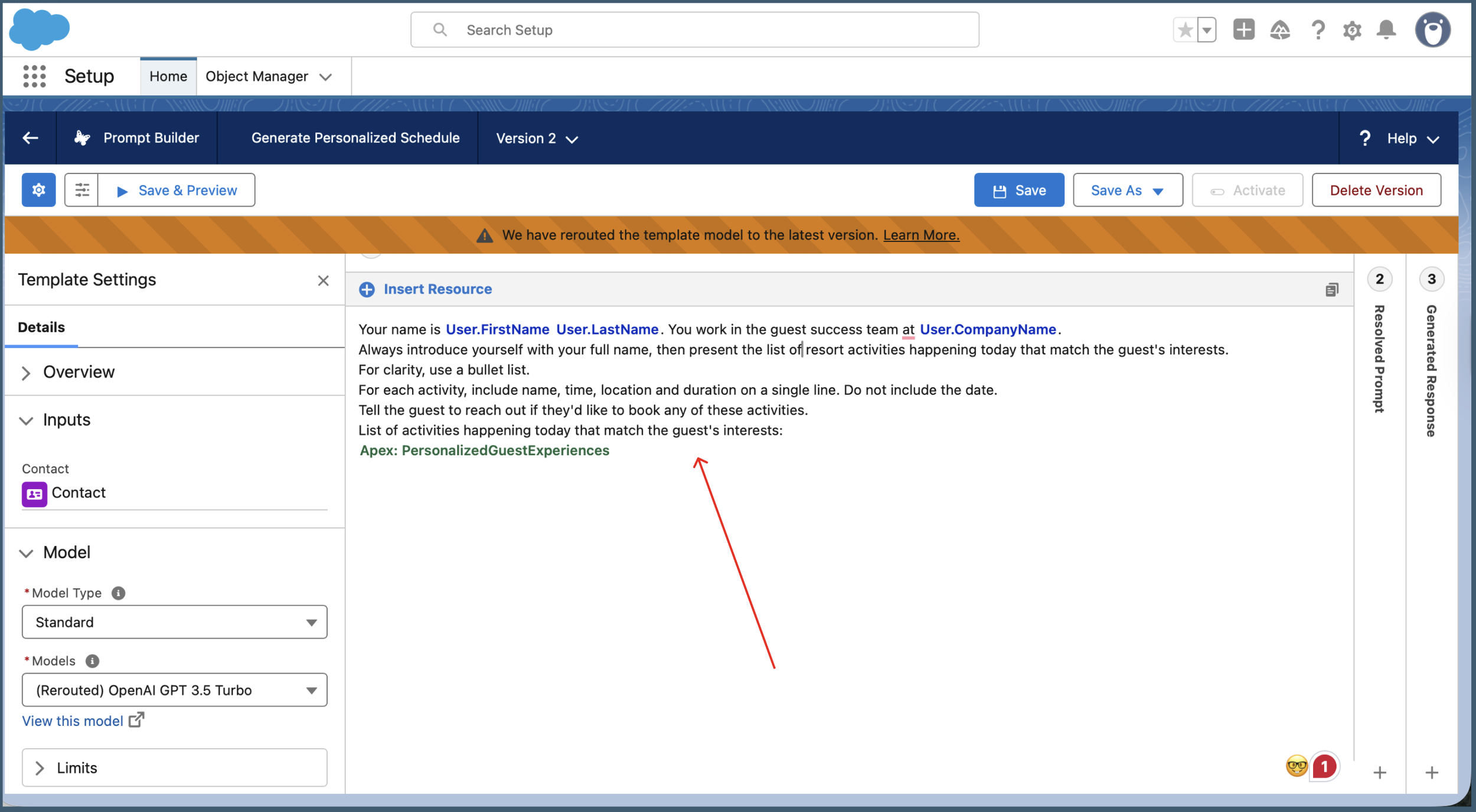
Engineering the prompt logic using dynamic resources like User Name and Record Snapshots to eliminate data gaps.
UX Impact: By grounding the prompt in real-time CRM data, we drastically reduce "Search Fatigue" for the user. The AI provides the right answer immediately, rather than forcing the user to navigate through multiple tabs.
2. Contextual Personalisation & Identity
A "human" AI requires a clear identity and access to relevant data. I refined the Prompt Template to ground the AI in a specific user context. By mapping global variables, I ensured the Agent knew its role within the "Guest Success Team" and had the full context of a guest's history before responding.
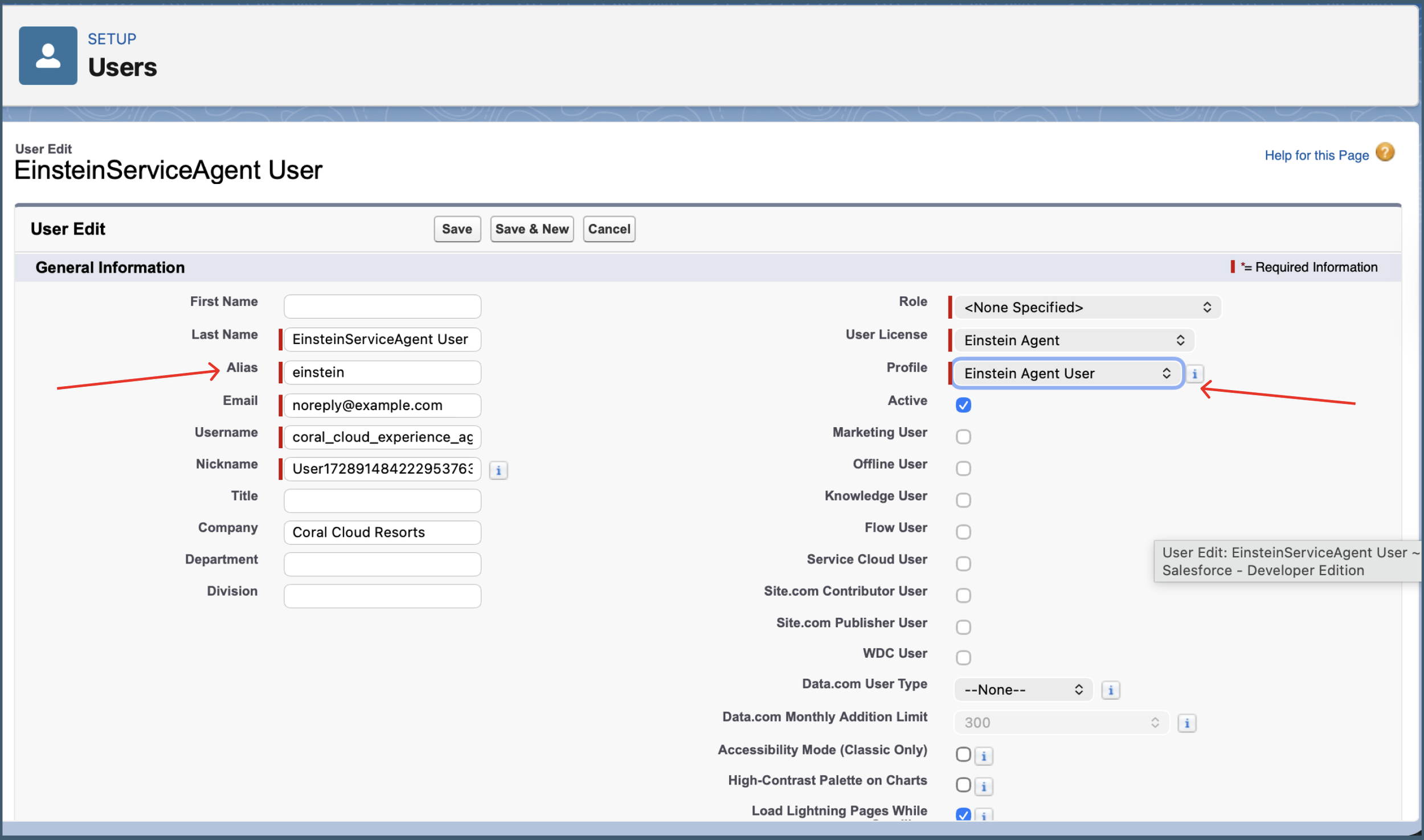
Defining the Agent's identity and brand persona to ensure consistent communication.
3. LLM Reliability (Einstein Studio)
To "raise the bar" on reliability, I configured a Custom Model in Einstein Studio. I specifically adjusted the Temperature to 0.3.
The Logic: A lower temperature makes the LLM more deterministic and focused. For a business-critical environment, "predictable and accurate" is preferred over "creative and random."
UX Value: This builds User Trust. By ensuring the AI sticks to the facts, we provide a professional, hallucination-free experience that users can rely on for critical information.
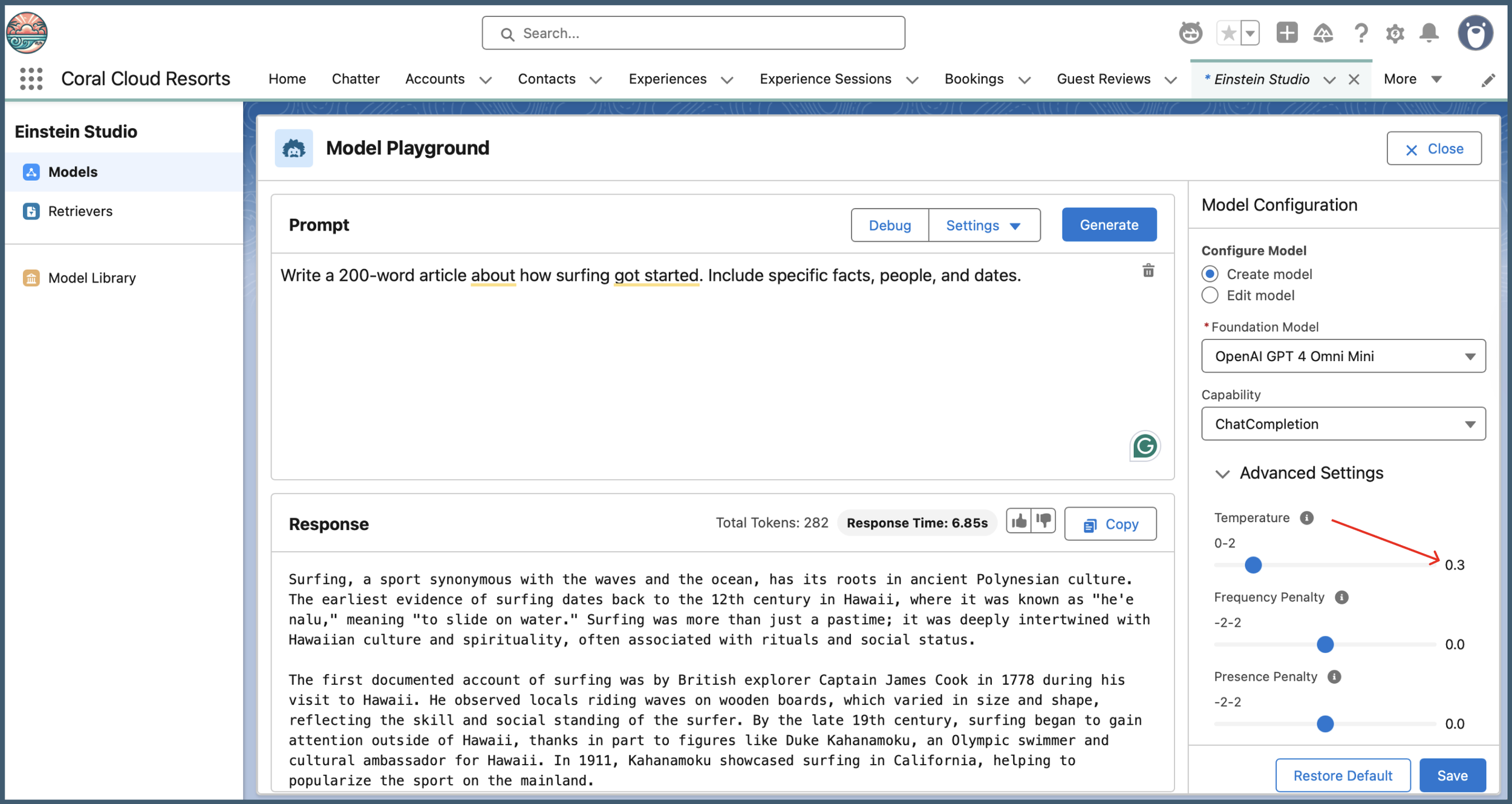
Adjusted the Temperature to 0.3.
4. Validation & Global Scalability
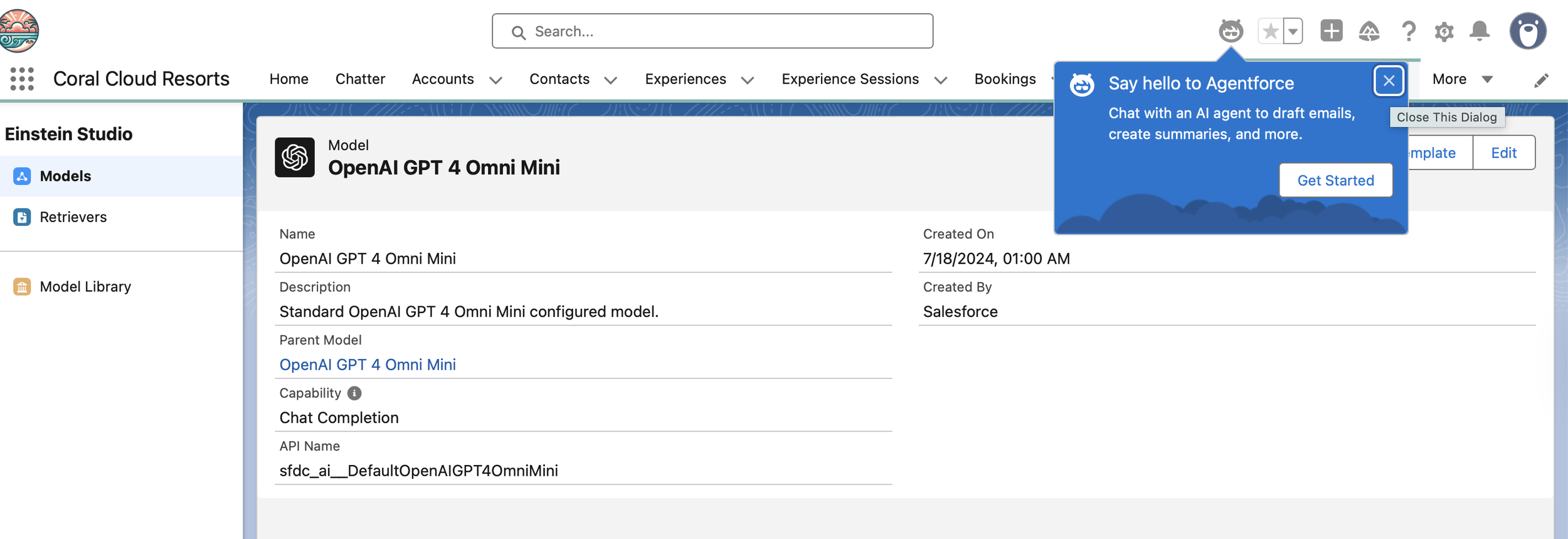
I tested the output using GPT-4o Mini to verify that the tone shifted from "generic" to "casual yet business-like." I also validated the agent’s ability to handle high-density information across multiple languages to ensure a consistent global experience.

Validating the personalised generated response in English for accuracy and tone.

Stress-testing the logic for global scalability with multi-language (French) output validation.
Key Results
Reduced Cognitive Load: Users receive personalised schedules instantly without manual filtering.
System Integrity: The 0.3 temperature setting ensures responses remain factual and professional.
Global Readiness: Proven ability to scale the UX across different languages while maintaining brand voice.
Case Study 2: Systems Design for Conversational Discovery
The Challenge
In a high energy discovery environment like searching for live event details or local activities, missing data breaks a user's momentum. I identified a gap where our AI could describe an event but couldn't provide the price, forcing the user to leave the conversation to search elsewhere. The goal was to bridge this gap by improving the component systems that power the AI’s intelligence.
Phase 1: Expanding the Data Layer (Flow Design)
True systems thinking starts with the data architecture. I modified the back-end Get Experience Details flow to include the Price field. By updating this retrieval logic, I ensured the "plumbing" of the system could support the user's primary need: understanding value and cost.
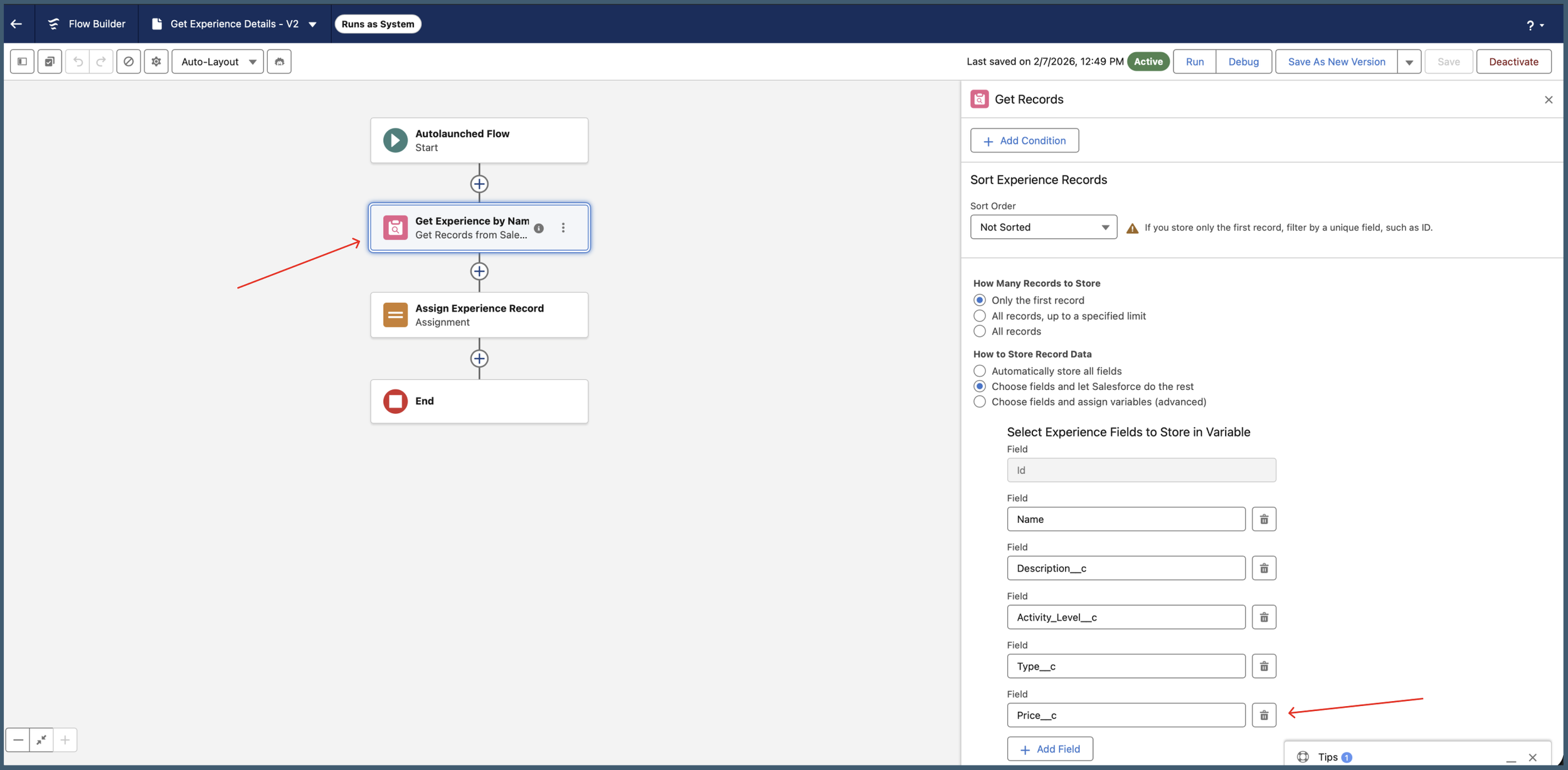
Enhancing the back-end data pipeline to ensure real-time pricing is accessible to the conversational interface.
Phase 2: Mapping Logic to Interface (Agent Actions)
Data is only useful if the AI knows how to deliver it. I manually updated the Agent Action instructions to map the new record data to the user-facing response. This demonstrates behavioural design by ensuring the AI's output matches the natural flow of a support or discovery conversation.
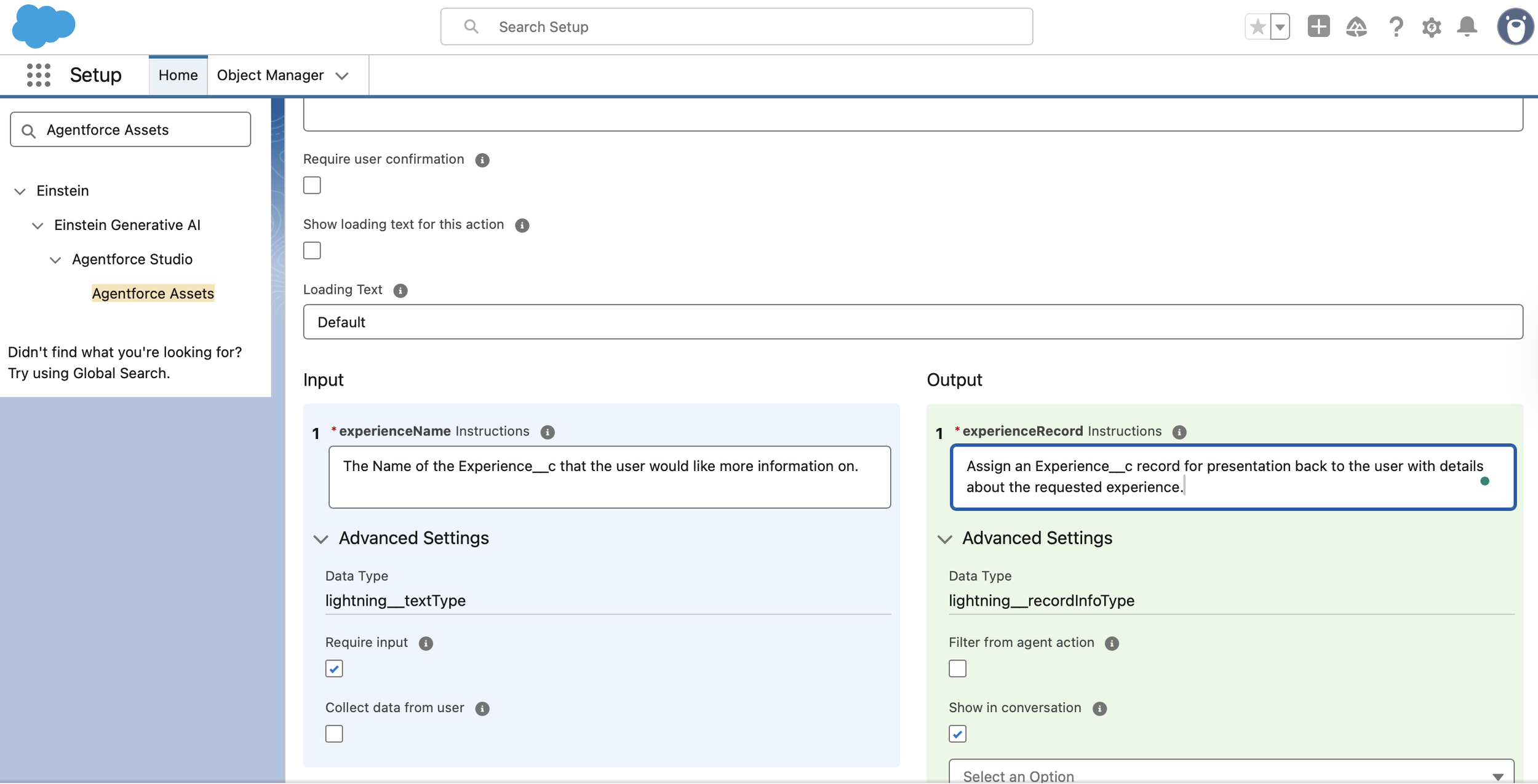
Aligning Agent Action instructions with back-end logic to ensure a seamless and polished delivery.
Phase 3: Intent Governance (Topic Instructions)
To ensure the agent remains focused and avoids "hallucinations," I implemented specific Topic Instructions. By explicitly telling the AI when to call the retrieval action (e.g., when asked about "Name, Description, or Price"), I created a predictable design that keeps the AI within its guardrails.
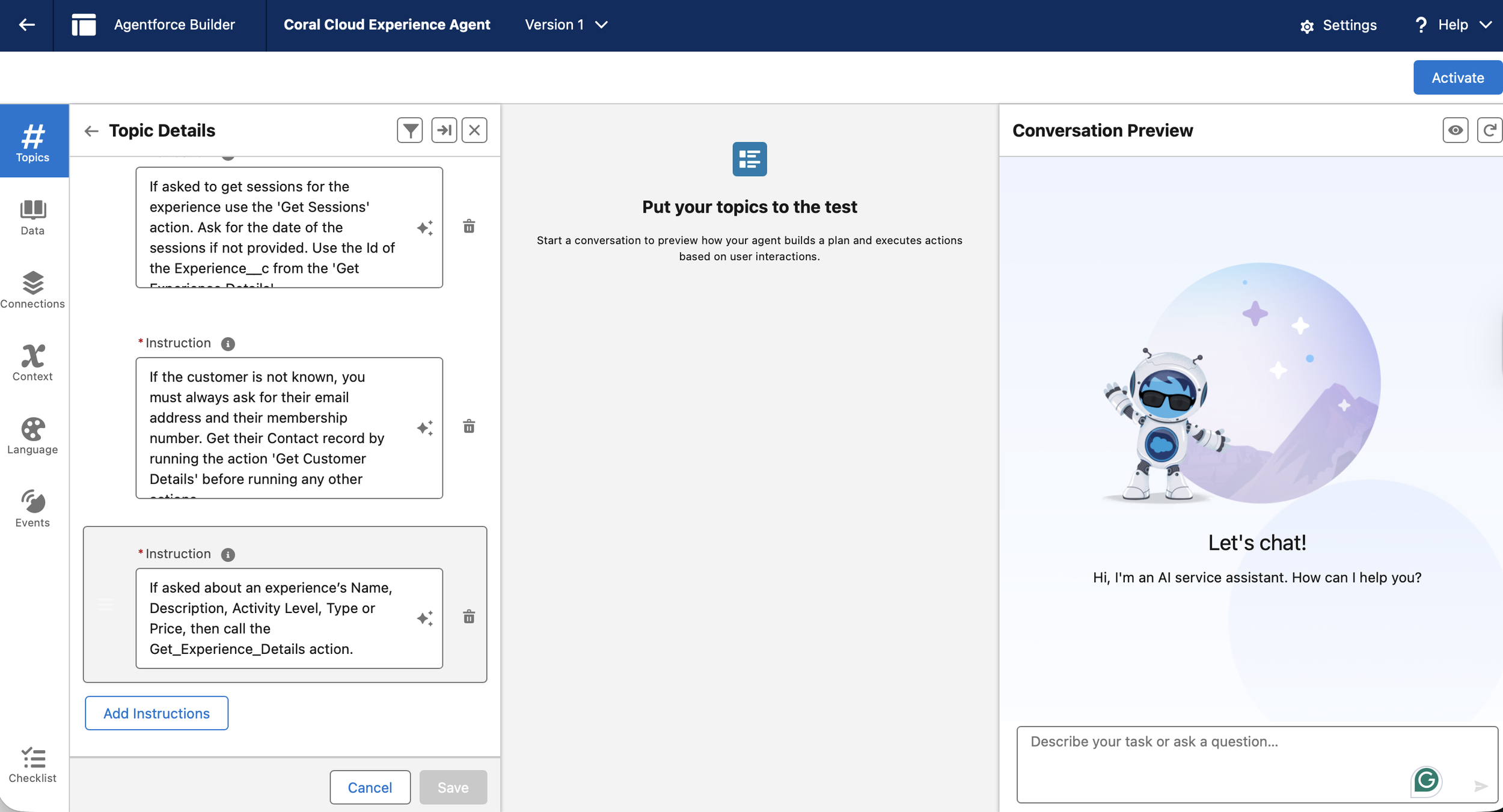
Establishing governance through Topic Instructions to ensure the AI triggers the right action based on user intent.
Phase 4: Closing the Loop (End-to-End Validation)
I validated the final experience by simulating a live user journey from requesting a personalised schedule to drilling down into specific event details. The result was a data-rich response that included accurate pricing, allowing the user to make an informed decision without ever leaving the conversation flow.
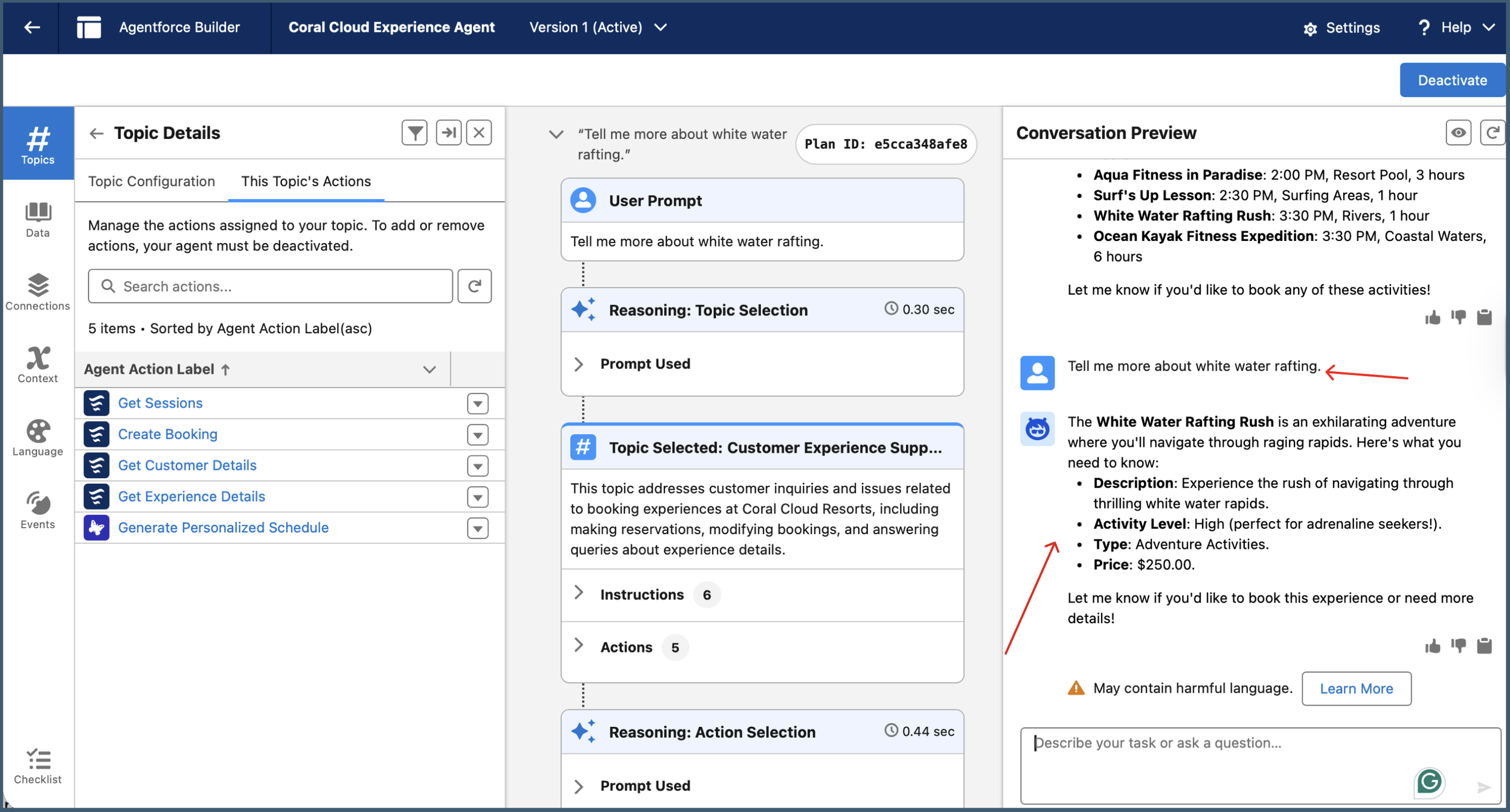
The validated experience: A data-accurate, frictionless discovery journey.
Key Results & Impact
Systems Thinking: Successfully connected back-end Salesforce logic to front-end UX, reducing technical ambiguity for the user.
Reduced Friction: Users can now get 100% of the information they need (including price) in a single interaction.
Scalable Architecture: This modular approach allows for "0-1 product development," making it easy to add new data points (like seat locations or bag policies) as the platform evolves.